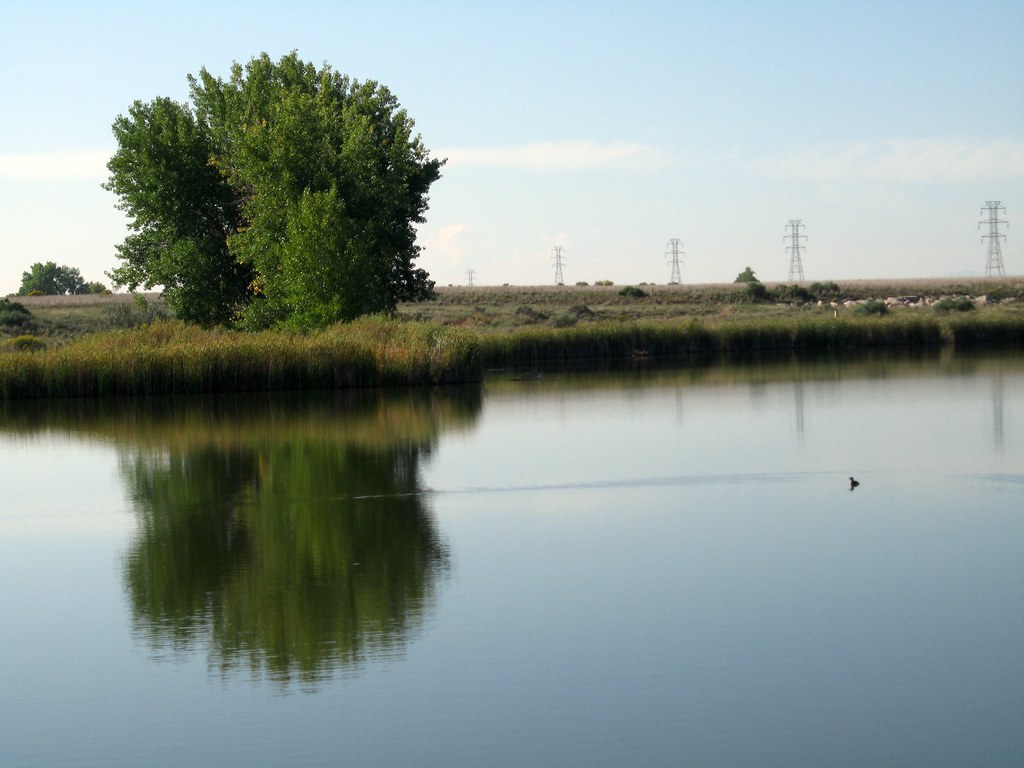
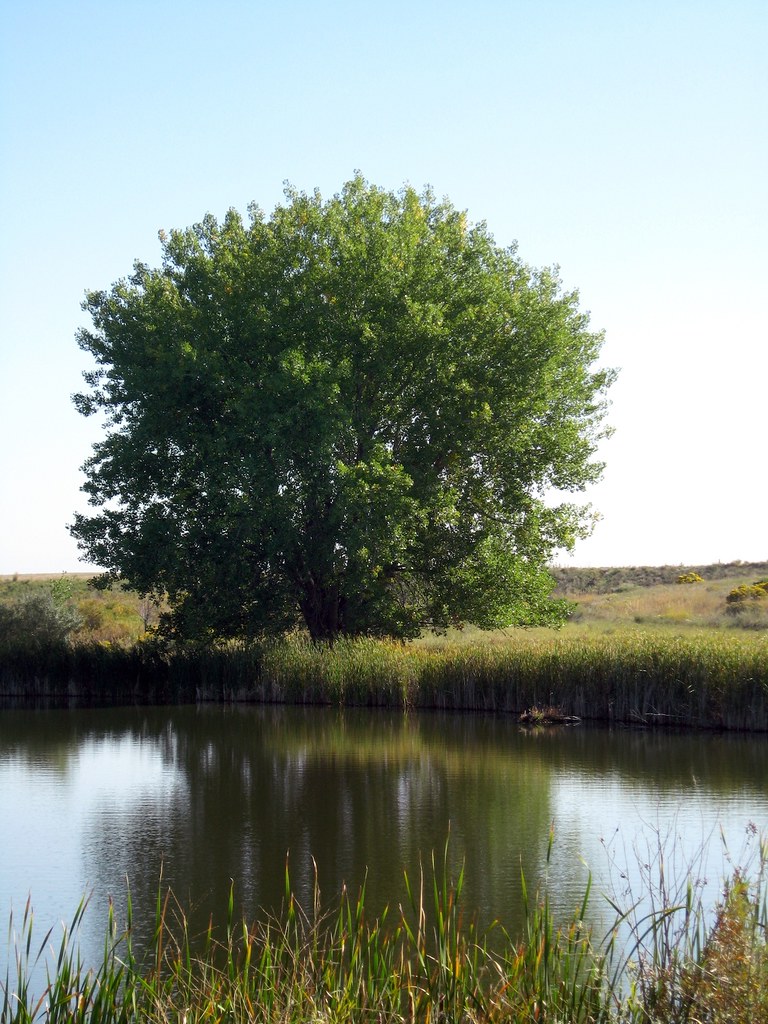
I previously posted a comparison of the Resynthesizer plugin for GIMP and Content Aware Fill feature of Adobe Photoshop CS5. I created a good version of the big tree the lake but I wanted to post it separately as this is not part of the comparison. This is version was made with multiple Content Aware Fill and Healing Brush passes.
This is my personal blog and mainly contains technical solutions, open source code, and other projects I have worked on. Much of the technical solutions are very niche so your milage may vary.
Thursday, May 6, 2010
Adobe Photoshop CS5 Content Aware Fill
I posted an article previously about the Resynthesizer plugin for GIMP. I took the same pictures as before and did the same edits this time with the CS5 Content Aware Fill and here are the results. Again I will point out that these pictures are doing a "Single Pass" without doing any manual edits or touchups and are just a test of the Content-Aware logic.
Wednesday, April 21, 2010
Extra BoardGameGeek Record a Play links.
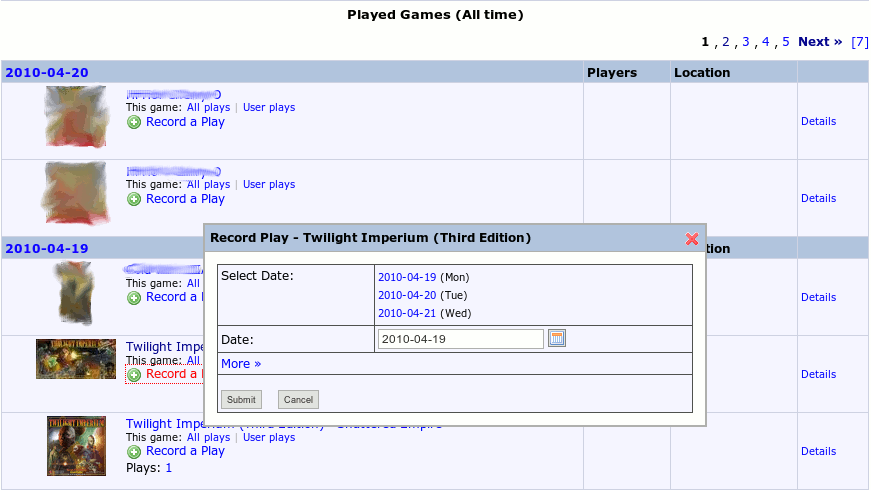
This is a simple Greasemonkey script that adds "Record a Play" links to the played games lists. This is useful when browsing your friends Recent Plays list as it allows you to directly add a play from the page without having to first open the game. It also sets the play date to that of the original item so if you both played the same game its a simple two click to copy their play to your own account.
A picture is worth a thousand words:
Installation Instructions:
Install the Greasemonkey plug-in for your web browser. Or use this version for Safari(Click NinjaKit for Safari.)
Restart your web browser as necessary.
Install the Greased MooTools and Extra Log Plays Links scripts into Greasemonkey.
A picture is worth a thousand words:
Installation Instructions:
Install the Greasemonkey plug-in for your web browser. Or use this version for Safari(Click NinjaKit for Safari.)
Restart your web browser as necessary.
Install the Greased MooTools and Extra Log Plays Links scripts into Greasemonkey.
Friday, April 16, 2010
PHP MySQL database abstraction class
I wrote a very elegant database interaction class for PHP some time ago. The class is a simple layer between a PHP application and its database and provides a very clean and efficient interface to the database. It does not generate the SQL code for you, but rather it makes a cleaner method of calling your SQL code. It allows you to generate repeatable queries as objects, provides parameter substitution in queries, and allows reading a record via class accessors. Some samples of these features are shown below.
I have not posted the source code itself as I feel this is one of my more exquisite projects and I don't want to see it taken without credit. I may be willing to provide the code on request though.
Examples: A simple reader query. (Select)
A simple non-reader query. (Insert, Update, Delete)
The same update only using parameters instead of string substitution. There are two ways to do this and both generate identical SQL code.
All three of the above update calls will generate the following statement. Notice how the second two statements automatically quote string and escape any special characters in strings.
You can also use parameters in reader queries exactly the same way as above. Also you can prepare the query and then set parameters/execute the query as a seperate step. Again the folloing are identical.
To read the results there are a few other options as well.
Also there are a few other calls that may be useful. You can get the number or records and raw SQL statement like so.
I have not posted the source code itself as I feel this is one of my more exquisite projects and I don't want to see it taken without credit. I may be willing to provide the code on request though.
Examples: A simple reader query. (Select)
$users = new query("SELECT userID, username, lastAccess, enabled FROM users;");
if(!$users->is_valid())
return false;
while($users->fetch())
{
echo $users->usersID;
}
A simple non-reader query. (Insert, Update, Delete)
if(!query::run("UPDATE users SET session = '$userSessionID', lastAccess = NOW() WHERE userID = $userID;"))
throw new Exception("Database update failed.");
The same update only using parameters instead of string substitution. There are two ways to do this and both generate identical SQL code.
return query::run("UPDATE users SET session = @1, lastAccess = NOW() WHERE userID = @2;", $userSessionID, $userID);
return query::run("UPDATE users SET session = @sessionID, lastAccess = NOW() WHERE userID = @usersID;",
array(sessionID => $userSessionID, usersID => $userID));
All three of the above update calls will generate the following statement. Notice how the second two statements automatically quote string and escape any special characters in strings.
UPDATE users SET session = 'SESSION', lastAccess = NOW() WHERE userID = UID;
You can also use parameters in reader queries exactly the same way as above. Also you can prepare the query and then set parameters/execute the query as a seperate step. Again the folloing are identical.
$users = new query("SELECT userID, username, lastAccess, enabled FROM users WHERE username = @username;", false);
$users->username = $username;
$users->execute();
$users = new query("SELECT userID, username, lastAccess, enabled FROM users WHERE username = @1;", false);
$users->execute(true, $username);
$users = new query("SELECT userID, username, lastAccess, enabled FROM users WHERE username = @username;", false);
$users->execute(true, array(username => $username);
To read the results there are a few other options as well.
$users = new query("SELECT userID, username, lastAccess FROM users WHERE username = @username;", false);
foreach($users as $user) {
$users->username = $user;
if(!$users->execute())
continus;
echo $users->usersID; // Get a coulmn value.
print_r($users->get_row()); // Print the entire row.
echo $users->get_md5(); // Time dependent hash.
echo $users->get_md5('userID', 'username'); // UserID/Username dependent hash.
echo $users->get_columns(); // Get a list of loaded columns.
}
Also there are a few other calls that may be useful. You can get the number or records and raw SQL statement like so.
$users = new query("SELECT userID, username, lastAccess, enabled FROM users;");
echo $users->get_length();
echo $users->get_last_sql();
query::run("UPDATE users SET groupName = @1, lastEdit = NOW() WHERE groupName = @2;", $newGroupName, $groupName);
echo query::length();
echo query::last_sql();
Backup your FreeBSD system configuration.
I set up a simple script to create a configuration backups of my FreeBSD box and I thought I would share it. Note that this script will only back up the /etc and /usr/local/etc directories and weighs in at just under 1MB per backup.
First create a backup script as we can't execute our complex command directly in cron. You may want to customize the exclude options to your licking, the two listed exclusions are the rather large gconf defaults, witch is not needed, and the working files for transmission.
Now make it executable.
Now add the job to cron and set it to run weekly as root.
First create a backup script as we can't execute our complex command directly in cron. You may want to customize the exclude options to your licking, the two listed exclusions are the rather large gconf defaults, witch is not needed, and the working files for transmission.
sudo vim /usr/local/sbin/backup-config
bash -c 'tar -czf /root/freebsd-cfg-`date "+%Y-%m-%d"`.tgz --exclude={etc/gconf,usr/local/etc/transmission/home/{resume,torrents,Downloads,blocklists}} /etc/ /usr/local/etc/'Now make it executable.
chmod +x /usr/local/sbin/backup-config
Now add the job to cron and set it to run weekly as root.
sudo vim /etc/crontab# Backup the entire server configuration once a week. 0 1 * * 0 root backup-config 2>/dev/null
Subscribe to:
Posts (Atom)
Project Licenses
These works by Jeremy Pyne are licensed under a Creative Commons Attribution-Noncommercial-Share Alike 3.0 Unported License